Track record

May 2022 – May 2024 · Self-employed · Thanjavur

Hardware & firmware specialist

Two years repairing and maintaining computers and laptops at the board level - Intel, AMD and Apple. Machines arrived dead, and the job was to find out why: which rail was down, which part on that net was pulling it there, and whether the data on the drive could still be got out. Most of that answer came off a schematic.

Period
May 2022 - May 2024
Basis
Self-employed
Scope
Laptops & desktops
Platforms
Intel · AMD · Apple
Method
Schematic & boardview tracing
DC IN 19 V jack Protection FET + fuse Always-on 5 V · 3.3 V EC power button PWR_OK rail sequencing VCORE CPU rails probe every stage in order - the first dead rail is the boundary +19V DC IN 19.02 V holds +3.3V ALW 3.31 V holds +5V ALW 5.04 V holds +1.05V PCH 0.00 V dead - short to ground
A no-power isolation. Probe each stage in order; the first dead rail is the boundary, and the boundary names the part. Values shown are illustrative of the method, not one specific job.

01What the work actually was

Not software installs and not part swapping against a symptom. The machines that reached me had usually already been to somebody who replaced the obvious thing and given up. What was left was the class of fault where nothing lights up and there is no error to read, so the only way forward is measurement.

  • System schematic tracing and troubleshooting. Reading schematics and boardview files to follow a net from source to load, identify every component on a rail, and narrow a dead board down to a specific part before touching it.
  • Component-level failure analysis on laptop and desktop boards - tracing faults through power delivery, memory subsystems and peripheral interfaces with a multimeter and an oscilloscope.
  • BIOS and UEFI firmware work. Programming and reflashing images, and resolving boot-sequence failures caused by corrupted or misconfigured firmware.
  • Data recovery. Getting the contents off drives in machines that would not boot, by isolating whether the fault was the board, the drive, or the filesystem.
  • Functional restoration. Returning the machine to service rather than declaring it scrap, which usually meant one part at the end of a long elimination rather than a new board.
  • Preventive maintenance. Thermal work, connector and trace repair, and the wear faults that come back if you only fix the symptom.

02Platforms

All three behave differently once you are past the case, and the differences are what decide how you approach a dead board.
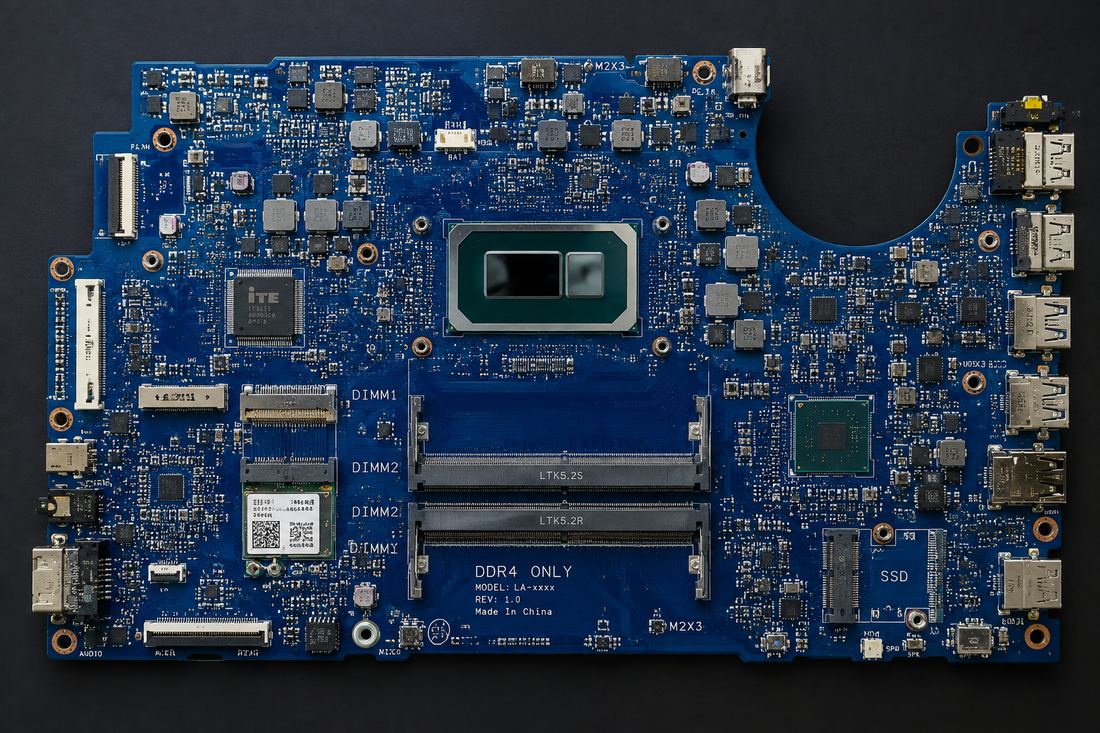
An Intel laptop mainboard: soldered CPU, DDR4 slots, and the platform controller hub at right.
Intel laptop mainboard - soldered CPU, DDR4, PCH.

Intel

The best-documented of the three, which matters more than it sounds: schematics and boardviews are findable. Socketed desktop parts and soldered mobile parts, with the boot chain split between the CPU, the platform controller hub and the embedded controller.

  • Power sequencing across the always-on rails, the EC, and the PWR_OK chain into the core rails.
  • BIOS/UEFI recovery on boards where the flash had been corrupted mid-update.
  • Socket and pad inspection - bent pins and lifted pads produce faults that look like anything but a mechanical problem.
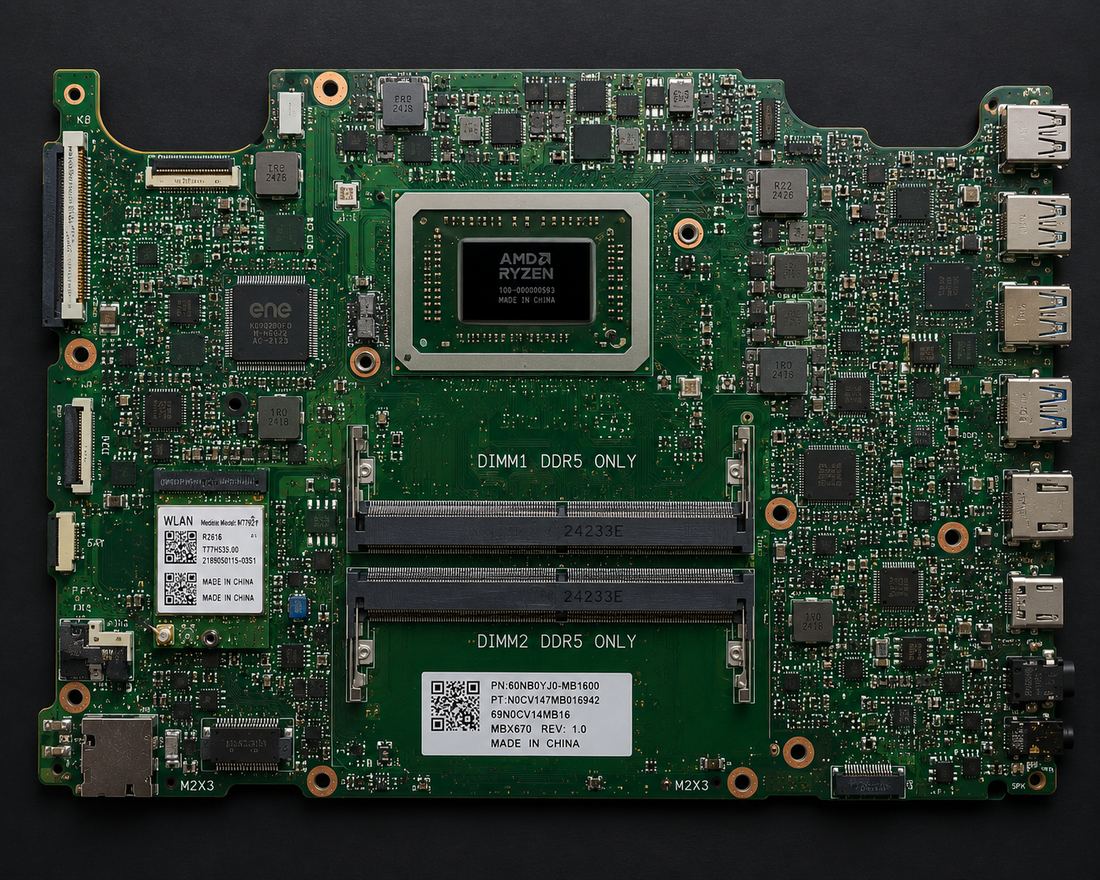
An AMD Ryzen laptop mainboard with DDR5 slots and the memory controller on the processor package.
Ryzen laptop board - DDR5, controller on-package.

AMD

A different failure profile. Ryzen-era boards put the memory controller on the I/O die, so memory faults present differently than they do on Intel parts, and VRM sizing on budget boards causes instability rather than outright death.
  • Memory training and stability faults that read as random crashes rather than a hard failure.
  • VRM thermal work on boards running parts the board was never really sized for.
  • Firmware compatibility - boards needing an update before they would accept the CPU installed in them.
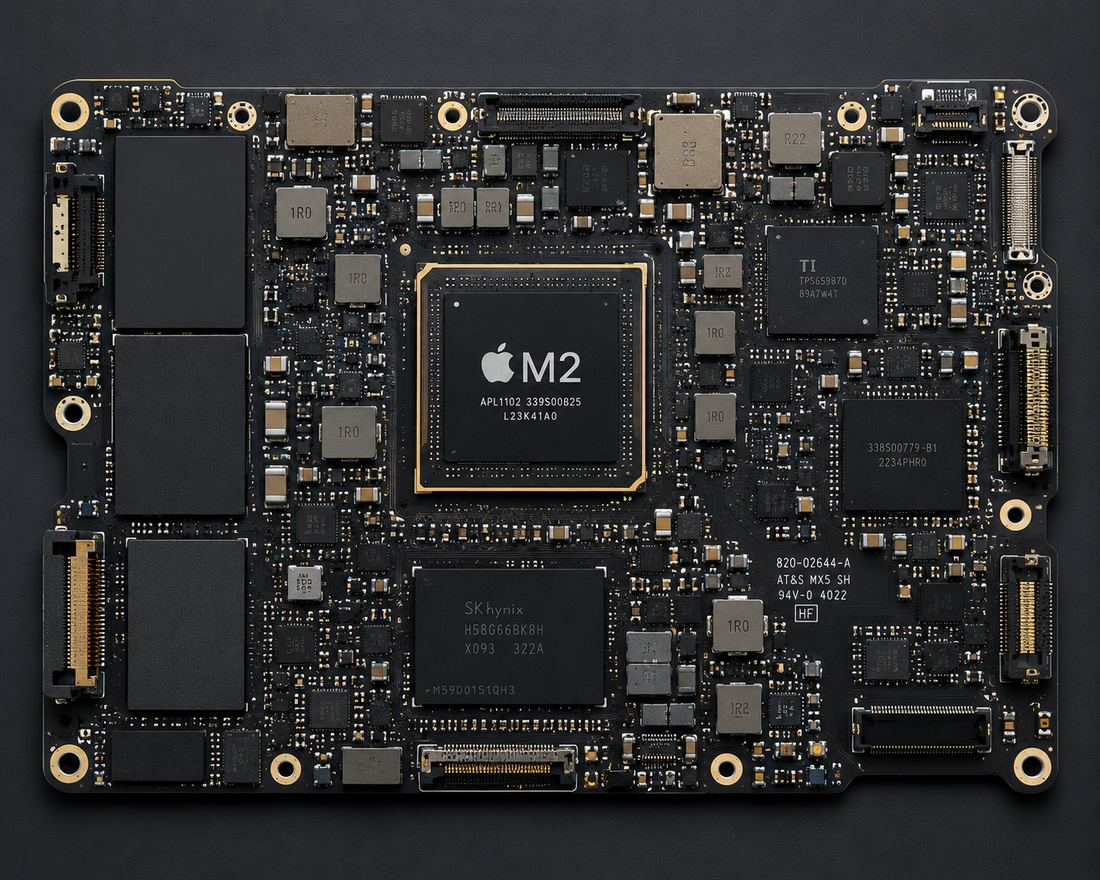
An Apple M2 logic board: the system-on-chip sits centre with memory and storage on the same board.
Apple M2 logic board - SoC, storage soldered down.

Apple

The most constrained of the three, and the one where knowing what cannot be fixed matters as much as knowing what can. Board-level work here is genuinely different: integration is much tighter, and a lot of what is a replaceable part on a PC is simply part of the package.

  • Power and charging faults, which are among the few things still repairable at board level here.
  • Storage soldered to the board, which changes the data-recovery question completely: recover before you touch anything else, because there is no drive to move.
  • Knowing the boundary. Where a fault sits behind vendor pairing or inside the package, the honest answer to the customer is that it is not an economic repair.

Intel, AMD and Apple are trademarks of their respective owners, named here only to describe hardware I worked on. The marks above are my own drawings of the package styles, not vendor logos - this was independent work with no affiliation to, or authorisation from, any of them.

03Schematic tracing

This is the part that separates board repair from part swapping. A dead rail tells you where the fault is; the schematic and the boardview tell you what is actually on that net and which of those parts can pull it down. Without them you are measuring in the dark and guessing at components.

The workflow is always the same. Find the net on the schematic, list every component sitting on it, then use the boardview to map each of those designators to a physical location on the board. That is rarely anywhere near where the schematic suggests. Then eliminate them one at a time.

  • Following a net end to end. From the connector or source through every series element to the load, so you know what is between the two points you are measuring.
  • Reading power trees. Which rail enables which, and in what order, so a rail that is missing can be traced back to the enable that never asserted rather than assumed dead.
  • Schematic to boardview to board. Matching a designator on paper to the physical part, on boards where the silkscreen is unreadable or absent.
  • Identifying the load. A shorted rail has something on it holding it low; the schematic narrows a whole rail down to a handful of candidate parts before anything gets touched.
  • Signal tracing. Clocks, resets and enables checked at the pin they are supposed to arrive at, not at the pin they left.
  • Working without documentation. On boards with no schematic available, tracing by continuity and by comparison against a known-good board of the same model.
Troubleshooting without a schematic is possible and sometimes necessary, but it is slower and the failure mode is expensive: you replace parts that were never faulty. Reading the schematic first is the difference between a repair that takes an hour and one that consumes the board.

04The method

A dead board gives you almost nothing to go on, so the process has to supply the structure. The rule I settled on was to never replace a part I could not first prove was wrong.

01

Take the history

Liquid, a drop, a failed update, or nothing at all - each one predicts a different family of fault, and it is the cheapest information available.

02

Inspect before powering

Corrosion, burn marks, lifted components. Applying power to a board with a short on it turns a repairable fault into a scrap board.

03

Walk the rails in order

Input, protection, always-on, sequencing, core. The first rail that is not where it should be is the boundary, and everything downstream of it is noise.

04

Find what is pulling it down

A dead rail is a symptom. Something is holding it there, and finding that part is the actual work - usually by injection and thermal, not by guessing.

05

Repair, then verify under load

A board that posts on the bench is not a fixed board. It has to hold up warm, under load, for long enough to trust.

06

Say when it is not worth it

Some faults cost more to chase than the machine is worth. Telling somebody that early is part of the job, not a failure of it.

05Firmware

The firmware half is where this work starts touching software. A board with intact hardware and a corrupted flash image behaves exactly like a board with a hardware fault - no display, no post, sometimes no fan. And telling those two apart is the whole diagnosis.

  • Reading and writing flash directly rather than through the machine, which is the only option once the machine will not boot far enough to update itself.
  • Repairing images where an update had been interrupted, and restoring boards that had been left in a non-booting state by a bad flash.
  • Boot-sequence faults. Configuration that stops a machine before it ever reaches an operating system, which looks like hardware death to the owner.
This is the part of the job that made the later work make sense. A firmware image is just code that runs before anything else is ready, on hardware that will not tell you what it is doing. Writing bare-metal code on an STM32 two years later was the same problem from the other side.

06What it left me with

Two years of not being allowed to guess. On a board there is no stack trace and no print statement - there is a meter, a schematic if you are lucky, and the discipline to measure the next thing rather than replace the likely thing. That is the habit I still run on a profiler, and it is the reason the benchmark numbers on this site come with a stated method instead of a claim.

It is also where the instinct for failure modes came from. Most of the concurrency and memory bugs I look for now are the software versions of the same question a dead rail asks: what is holding this down, and how would I prove it.